
Recently, DeepSeek has been making waves in the AI community with its r1 model. Many developers and AI enthusiasts have been experimenting with it, sharing their thoughts on its ability to generate code and reason through complex tasks. At the same time, OpenAI released its latest ChatGPT o3 models on January 31, 2025, boasting significant improvements in advanced mathematics, logical reasoning, and overall performance.
Curious about how these models compare in a real-world coding challenge, I decided to put them to the test. I asked both ChatGPT o3-mini-high and DeepSeek r1 to generate a Python program to render a firework animation. This blog post details my approach, my observations, and how each model performed in this experiment.
Testing Approach
For this test, I used a straightforward prompt: “Write a Python program to render a firework.”
I ran this prompt through both ChatGPT o3-mini-high and DeepSeek r1 and analyzed their responses, focusing on three key aspects: execution time, correctness, and the realism of the generated animation.
The Results

ChatGPT o3-mini-high’s Response
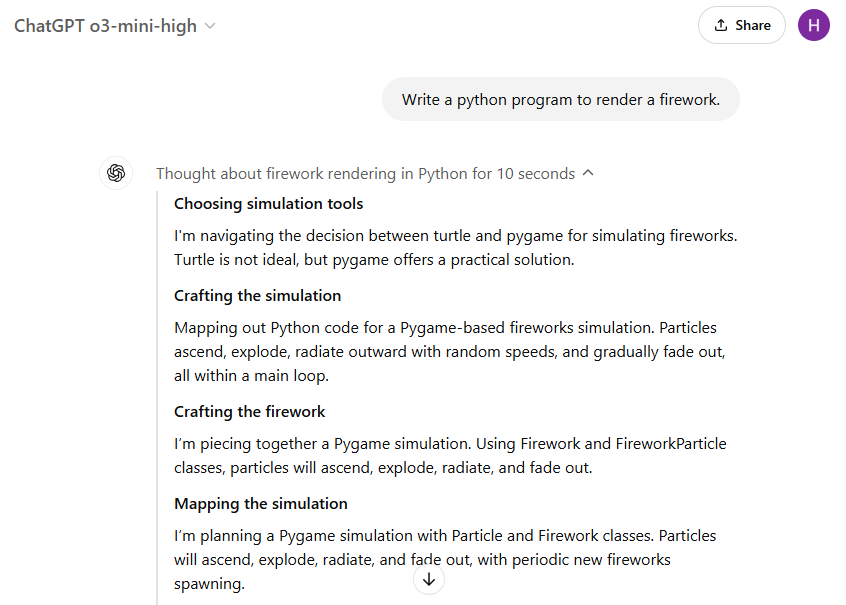
ChatGPT o3-mini-high impressed me with its speed and accuracy. In just about 15 seconds, it generated a fully functional Python script using the Pygame library. The resulting animation was smooth and visually appealing. The firework particles launched realistically, accelerating as they ascended, then slowing down due to gravity before exploding in multiple directions. Additionally, the explosion effect included fading tails, making the animation closely resemble real fireworks.
import pygame
import random
import math

# Screen dimensions and frame rate
WIDTH, HEIGHT = 800, 600
FPS = 60

def random_color():
    """Return a random bright color."""
    return (random.randint(150, 255), random.randint(150, 255), random.randint(150, 255))

class Particle:
    """Represents a particle from an exploded firework with a tail."""
    def __init__(self, x, y, color, velocity, life):
        self.x = x
        self.y = y
        self.vx, self.vy = velocity
        self.color = color
        self.life = life  # Lifetime in frames
        self.trail = []  # List to store previous positions for the tail
        self.max_trail_length = 10  # Maximum length of the tail

    def update(self):
        """Update the particle's position, velocity, and its trail."""
        # Append current position to trail
        self.trail.append((self.x, self.y))
        if len(self.trail) > self.max_trail_length:
            self.trail.pop(0)

        # Apply gravity to the particle's vertical velocity
        self.vy += 0.1
        # Update position
        self.x += self.vx
        self.y += self.vy
        # Decrease life
        self.life -= 1

    def draw(self, screen):
        """Draw the particle along with its tail."""
        if self.life > 0 and len(self.trail) > 0:
            # Base radius based on remaining life (for a fading size effect)
            current_radius = max(1, self.life // 5)
            # Draw the trail: older positions will be drawn fainter and smaller.
            trail_length = len(self.trail)
            for i, pos in enumerate(self.trail):
                # Compute a factor for fading based on the position's index in the trail.
                # The newest point (last in the list) has factor ~1.0.
                factor = (i + 1) / trail_length
                # Compute the radius for this segment of the tail.
                radius = max(1, int(current_radius * factor))
                # Fade the color by scaling the RGB components.
                faded_color = (
                    int(self.color[0] * factor),
                    int(self.color[1] * factor),
                    int(self.color[2] * factor)
                )
                pygame.draw.circle(screen, faded_color, (int(pos[0]), int(pos[1])), radius)

class Firework:
    """Represents a firework that launches upward and explodes into particles."""
    def __init__(self, x, y, color):
        self.x = x
        self.y = y
        self.color = color
        # The rocket's initial upward velocity (negative means upward)
        self.vy = -random.uniform(7, 9)
        self.exploded = False
        self.particles = []

    def update(self):
        """Update the firework's state."""
        if not self.exploded:
            # Update the rocket's position
            self.y += self.vy
            # Gravity slows the rocket down
            self.vy += 0.1
            # When upward speed stops, explode!
            if self.vy >= 0:
                self.exploded = True
                self.explode()
        else:
            # Update each explosion particle
            for particle in self.particles:
                particle.update()
            # Remove particles that have faded out
            self.particles = [p for p in self.particles if p.life > 0]

    def explode(self):
        """Generate explosion particles in all directions."""
        num_particles = random.randint(30, 50)
        for _ in range(num_particles):
            # Random angle and speed for each particle
            angle = random.uniform(0, 2 * math.pi)
            speed = random.uniform(1, 5)
            vx = math.cos(angle) * speed
            vy = math.sin(angle) * speed
            # Particle lifetime in frames
            life = random.randint(30, 50)
            self.particles.append(Particle(self.x, self.y, self.color, (vx, vy), life))

    def draw(self, screen):
        """Draw the firework or its explosion particles."""
        if not self.exploded:
            # Draw the rocket as a small circle
            pygame.draw.circle(screen, self.color, (int(self.x), int(self.y)), 3)
        else:
            for particle in self.particles:
                particle.draw(screen)

def main():
    pygame.init()
    screen = pygame.display.set_mode((WIDTH, HEIGHT))
    pygame.display.set_caption("Firework Simulation")
    clock = pygame.time.Clock()

    fireworks = []
    running = True

    while running:
        clock.tick(FPS)
        # Event handling
        for event in pygame.event.get():
            if event.type == pygame.QUIT:
                running = False

        # Randomly add a new firework
        if random.randint(0, 50) == 0:
            x = random.randint(50, WIDTH - 50)
            fireworks.append(Firework(x, HEIGHT, random_color()))

        # Update all fireworks
        for firework in fireworks:
            firework.update()
        # Remove fireworks that have exploded and whose particles have all faded
        fireworks = [f for f in fireworks if not (f.exploded and len(f.particles) == 0)]

        # Clear the screen (black background)
        screen.fill((0, 0, 0))
        # Draw fireworks
        for firework in fireworks:
            firework.draw(screen)

        pygame.display.flip()

    pygame.quit()

if __name__ == "__main__":
    main()
DeepSeek r1’s Response
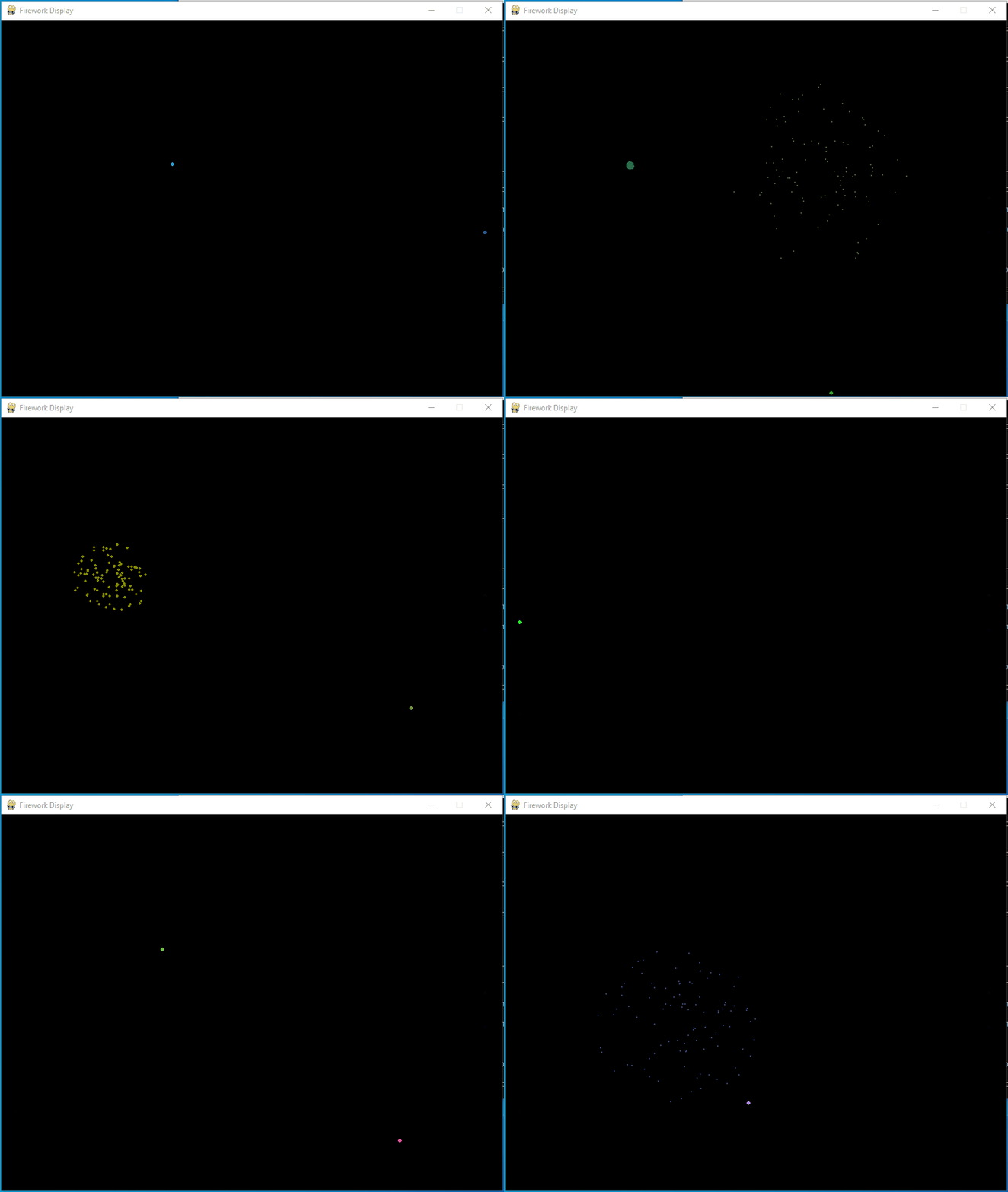
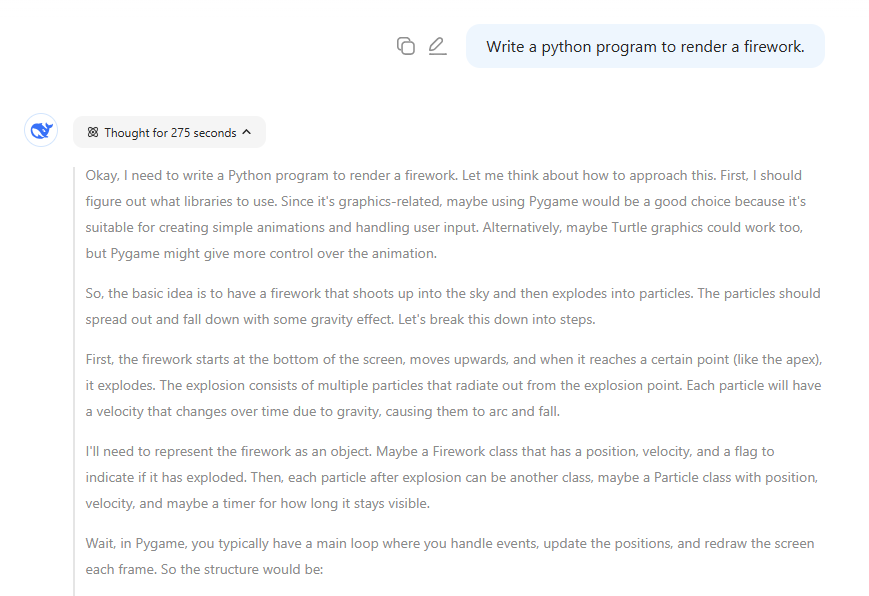
DeepSeek r1 also produced a firework animation using Pygame, but it took a staggering 275 seconds to generate the code. While it successfully created an explosion effect, the physics of the firework were not as refined. The particles launched into the sky at a constant velocity, which is not how real fireworks behave. Additionally, the explosion lacked fading tails, making the animation appear less dynamic and lifelike when compared to ChatGPT’s output.
import pygame
import random
import math

# Initialize Pygame
pygame.init()

# Constants
SCREEN_WIDTH = 800
SCREEN_HEIGHT = 600
GRAVITY = 0.2
FPS = 30

# Set up the screen
screen = pygame.display.set_mode((SCREEN_WIDTH, SCREEN_HEIGHT))
pygame.display.set_caption("Firework Display")
clock = pygame.time.Clock()

class Firework:
    def __init__(self):
        self.x = random.randint(0, SCREEN_WIDTH)
        self.y = SCREEN_HEIGHT  # Start at the bottom
        self.target_y = random.randint(SCREEN_HEIGHT // 4, SCREEN_HEIGHT // 2)
        self.velocity = -random.randint(5, 10)  # Move upwards
        self.color = (random.randint(0, 255), random.randint(0, 255), random.randint(0, 255))
        self.exploded = False

    def explode(self, particles):
        # Create multiple particles
        for _ in range(100):
            particles.append(Particle(self.x, self.y, self.color))
        self.exploded = True

    def update(self, particles):
        if not self.exploded:
            self.y += self.velocity
            if self.y <= self.target_y:
                self.explode(particles)

class Particle:
    def __init__(self, x, y, color):
        self.x = x
        self.y = y
        angle = random.uniform(0, 2 * math.pi)
        speed = random.uniform(1, 5)
        self.vx = math.cos(angle) * speed
        self.vy = math.sin(angle) * speed
        self.color = color
        self.timer = 255  # Fade-out timer
        self.radius = 3

    def update(self):
        self.vy += GRAVITY
        self.x += self.vx
        self.y += self.vy
        self.timer -= 5  # Decrease alpha (fade out)
        self.radius = max(0, int(self.timer / 255 * 3))

    def is_alive(self):
        return self.timer > 0

def main():
    running = True
    fireworks = []
    particles = []
    last_launch_time = pygame.time.get_ticks()

    while running:
        # Handle events
        for event in pygame.event.get():
            if event.type == pygame.QUIT:
                running = False

        # Launch new fireworks periodically
        current_time = pygame.time.get_ticks()
        if current_time - last_launch_time > 1500:  # 1.5 seconds
            fireworks.append(Firework())
            last_launch_time = current_time

        # Update fireworks
        for firework in fireworks[:]:
            firework.update(particles)
            if firework.exploded:
                fireworks.remove(firework)

        # Update particles
        for particle in particles[:]:
            particle.update()
            if not particle.is_alive():
                particles.remove(particle)

        # Draw everything
        screen.fill((0, 0, 0))  # Black background

        # Draw fireworks (pre-explosion)
        for firework in fireworks:
            if not firework.exploded:
                pygame.draw.circle(screen, firework.color, (int(firework.x), int(firework.y)), 3)

        # Draw particles
        for particle in particles:
            # Calculate faded color
            faded_color = (
                particle.color[0] * particle.timer // 255,
                particle.color[1] * particle.timer // 255,
                particle.color[2] * particle.timer // 255
            )
            pygame.draw.circle(screen, faded_color, (int(particle.x), int(particle.y)), particle.radius)

        pygame.display.flip()
        clock.tick(FPS)

    pygame.quit()

if __name__ == "__main__":
main()Key Observations and Comparison
When visually comparing the animations, the differences were striking. ChatGPT o3-mini-high produced an animation that followed real-world physics principles, including acceleration, deceleration, and realistic particle dispersion. The explosion effect, complete with fading tails, made it more visually appealing and natural.
DeepSeek r1, on the other hand, generated a functional but less polished output. The lack of acceleration and deceleration made the firework launch appear unnatural, and the explosion, while visually interesting, lacked the subtle details that make fireworks look real. The absence of particle tails further diminished the realism of the effect.
| Feature | ChatGPT o3-mini-high | DeepSeek r1 |
| Execution Time | About 15 seconds | About 275 seconds |
| Library Used | Pygame | Pygame |
| Firework Launch | Acceleration, deceleration | Constant velocity (acks physics accuracy) |
| Explosion Particles | Random, with tails | Random, no tails |
How Other ChatGPT Models Compared?
To get a broader sense of how AI models handle this task, I tested a few other versions of ChatGPT:
- GPT-4o: Chose to use Matplotlib for rendering the firework. While Matplotlib is great for data visualization, it is not ideal for real-time animations, making the output static and uninspiring.
- ChatGPT o1: Used Pygame, but the generated code only drew simple lines to represent fireworks, making it look quite basic.
- ChatGPT o3-mini: Produced results similar to DeepSeek r1, indicating that the more advanced o3-mini-high version had a noticeable improvement in rendering animations.

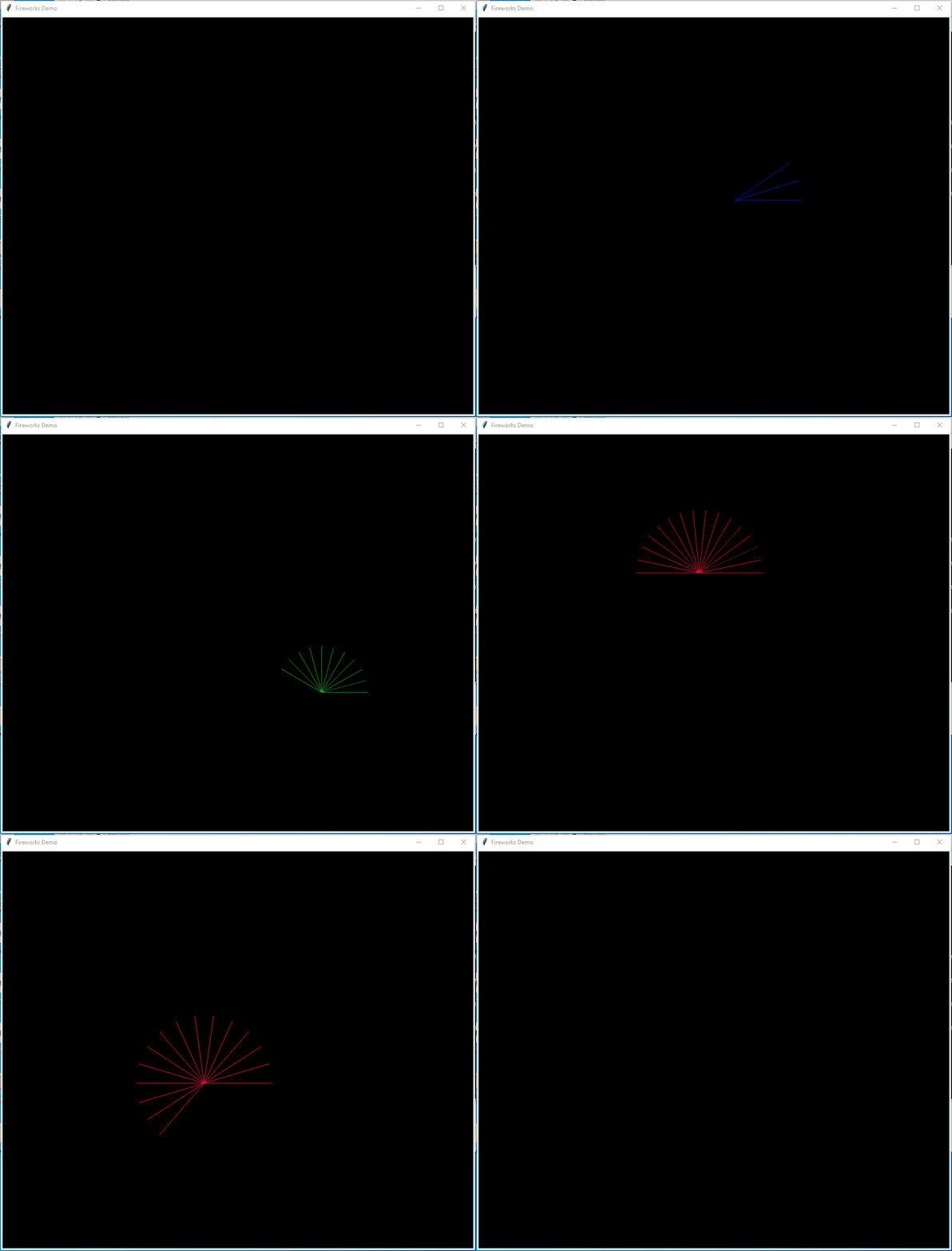
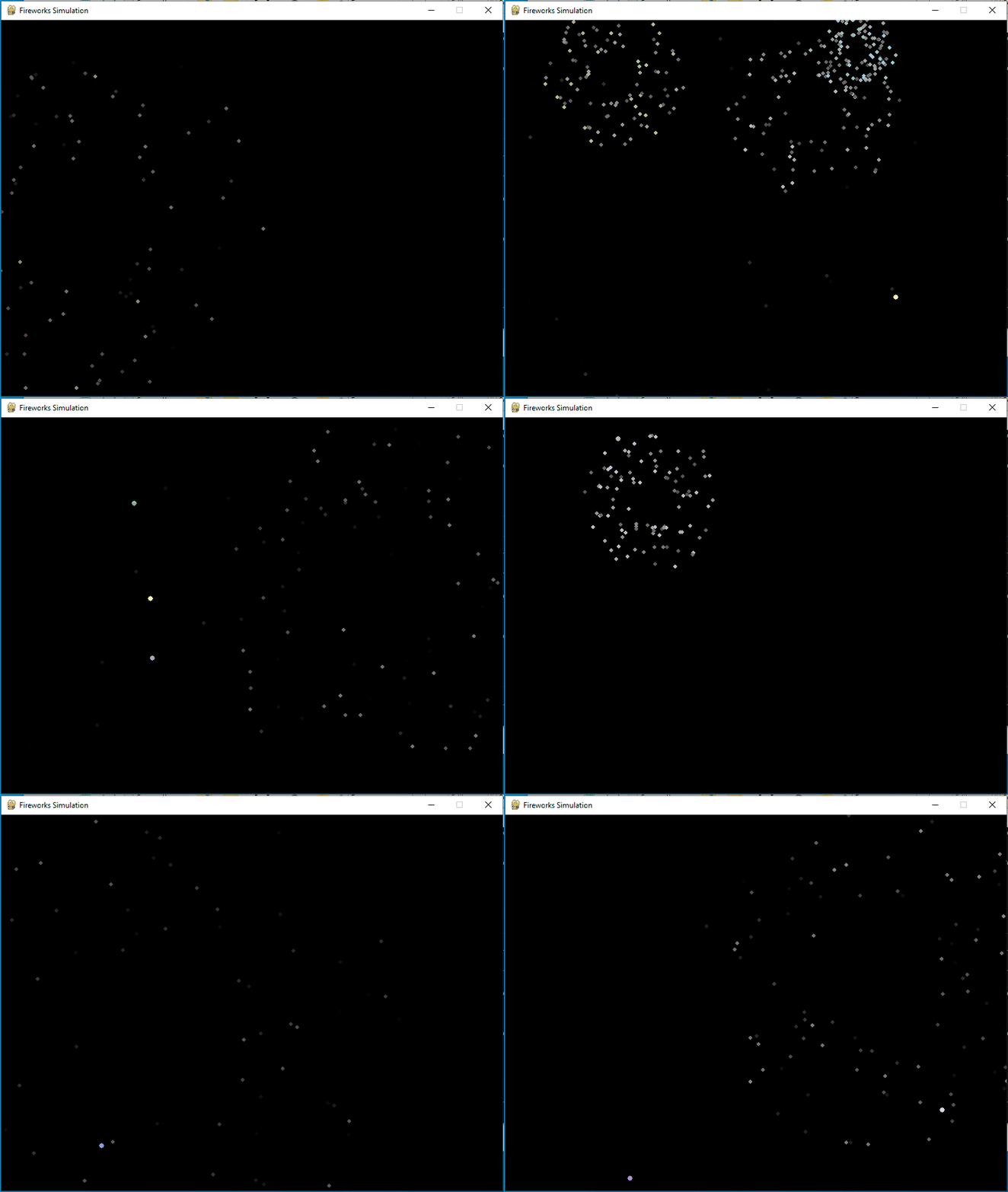
For those interested, I have uploaded all the AI-generated source code to my GitHub repository for further review.
Conclusion
This experiment highlights the ongoing evolution of AI-generated code and the differences between models. As of February 1, 2025, ChatGPT o3-mini-high clearly outperformed DeepSeek r1 in this specific test, generating a more realistic and visually engaging firework animation. The way it simulated acceleration, deceleration, and explosion dynamics made it the superior choice for this task.
One important takeaway from this experiment is that AI-generated code is not always consistent. The same prompt can produce vastly different results depending on the AI model and version. This means that developers should always test multiple models when working on complex coding tasks to ensure the best possible outcome.
AI models are rapidly evolving, and this test is just one example of how different models approach the same problem in unique ways. While ChatGPT o3-mini-high delivered the best result in this case, the landscape of generative AI is changing fast. Future iterations of these models may further refine their capabilities, bringing even more realism and accuracy to AI-generated code.